The question most HPC teams answer last is whether to deploy a portal. When your cluster is up, your scheduler is running, and users are submitting jobs via SSH: it works. The question is whether it’s working as well as it could.
The return on HPC infrastructure depends less on the hardware spec than on utilization: how many people on the team can actually run a job independently, from submission through to output? And utilization comes down to what the interface looks like.

Who gets the most from an HPC portal
An HPC portal is a browser-based interface that sits above your cluster’s job scheduler: giving all users, technical or not, a single point of access for job submission, file management, and job and VDI session monitoring, without requiring command-line expertise.
The command line is the natural interface for HPC, and it works well for users who are fluent with it. The challenge is that most HPC environments serve a mixed team: a few cluster specialists who write SLURM scripts from memory, and a larger group of domain experts (engineers, researchers) who know their application software well but not necessarily the command line.
A 2025 paper in Bioinformatics Advances introducing DRMAAtic, a job-submission tool built for exactly this problem, describes the learning curve as a structural barrier: users must learn verbose batch scripting syntax, manage resource declarations manually, handle job dependencies, and repeat the same boilerplate across every submission. For a research team where the relevant expertise is computational fluid dynamics or molecular modeling, that’s not a reasonable prerequisite.
The practical result is partial utilization: the cluster has the capacity for hundreds of concurrent jobs, but the number actually running is often a fraction of that. The jobs exist, the submission step is the filter.
A portal removes that barrier for the non-specialist majority: when a researcher can open a browser, define their job in a form, attach their input files, and submit without touching the terminal, the cluster becomes accessible to the whole team, including everyone who never memorized the sbatch syntax.
What's your HPC Portal fit score?
5 questions: find out whether a portal fits your environment, and which one.
Question of
What changes for the admin team
The effect on the admin side is worth separating out, because it's a different kind of return.
When SSH is the only path into the cluster, the HPC admin becomes an informal support layer between users and compute. Job submissions for users who don't know the syntax, status checks for jobs that disappeared from the queue, file transfer help for researchers who've never used SCP. None of this is infrastructure work, but it absorbs engineering time on both sides of the exchange.
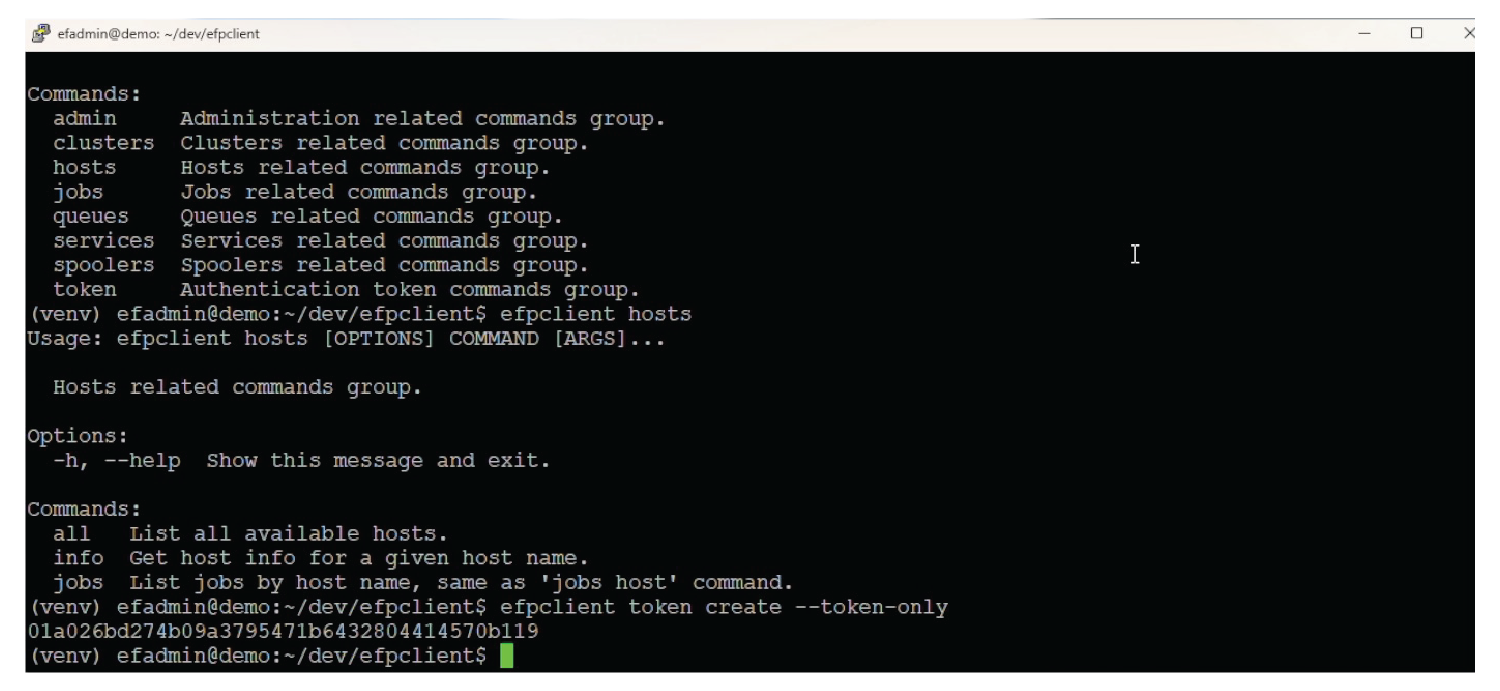
a familiar process for all HPC user types.
With a portal in place, users check job status themselves, manage their own files, and resubmit failed jobs without calling anyone. The admin team's time shifts to the cluster itself: scheduling policy, capacity planning, maintenance. That's a real change at scale.
Node management becomes part of the same workflow: checking per-node load, requeuing failed jobs, and triaging resource contention, all from a dashboard rather than a cascade of SSH sessions across individual nodes.
Volkswagen runs over 1,000 engineers daily on remote workstations via DCV. Five of the ten current Formula 1 teams run their simulation workflows through EF Portal. At that scale, admin bandwidth is the constraint, and self-service becomes an operational requirement.
A portal also centralizes access control: SSO and MFA integration, role-based permissions, and enforced submission through the scheduler, so no job bypasses policy or runs outside admin visibility.
When the investment pays off most
There's no fixed threshold where a portal becomes necessary, but a few characteristics consistently show up when teams see the most return.
- A mixed user base. If your team includes domain experts who are not cluster administrators, a portal extends HPC access to that group without requiring them to learn the command line. Power users keep using SSH, and everyone else gets a workable alternative.
- More than around 20 active users. Below that number, informal management tends to work well enough. Above it, questions about job priority, resource fairness, and usage visibility start requiring proper tooling. Monitoring dashboards, RBAC, and per-user reporting matter at this scale. So does having a single admin interface that shows the whole environment, not just your own session.
- Shared infrastructure across teams. A cluster shared by multiple departments or projects needs a management layer. A portal provides the single entry point, with per-project quotas and admin visibility across all users. Without it, the coordination happens in Slack and email.
- VDI or interactive visualization. If your users run Ansys, CATIA, or any application that needs an interactive visualization session rather than a batch job, portal integration with DCV is the deciding factor. Your team launches a remote 3D desktop from the same interface where they submit batch jobs, in a single environment.
The benefits in practice
Job submission through a GUI means users can see available resources, set parameters through validated forms, and catch configuration errors before they submit, instead of after a job fails three hours in. Real-time job monitoring gives queue position, resource consumption, and output visibility without running squeue from the command line.
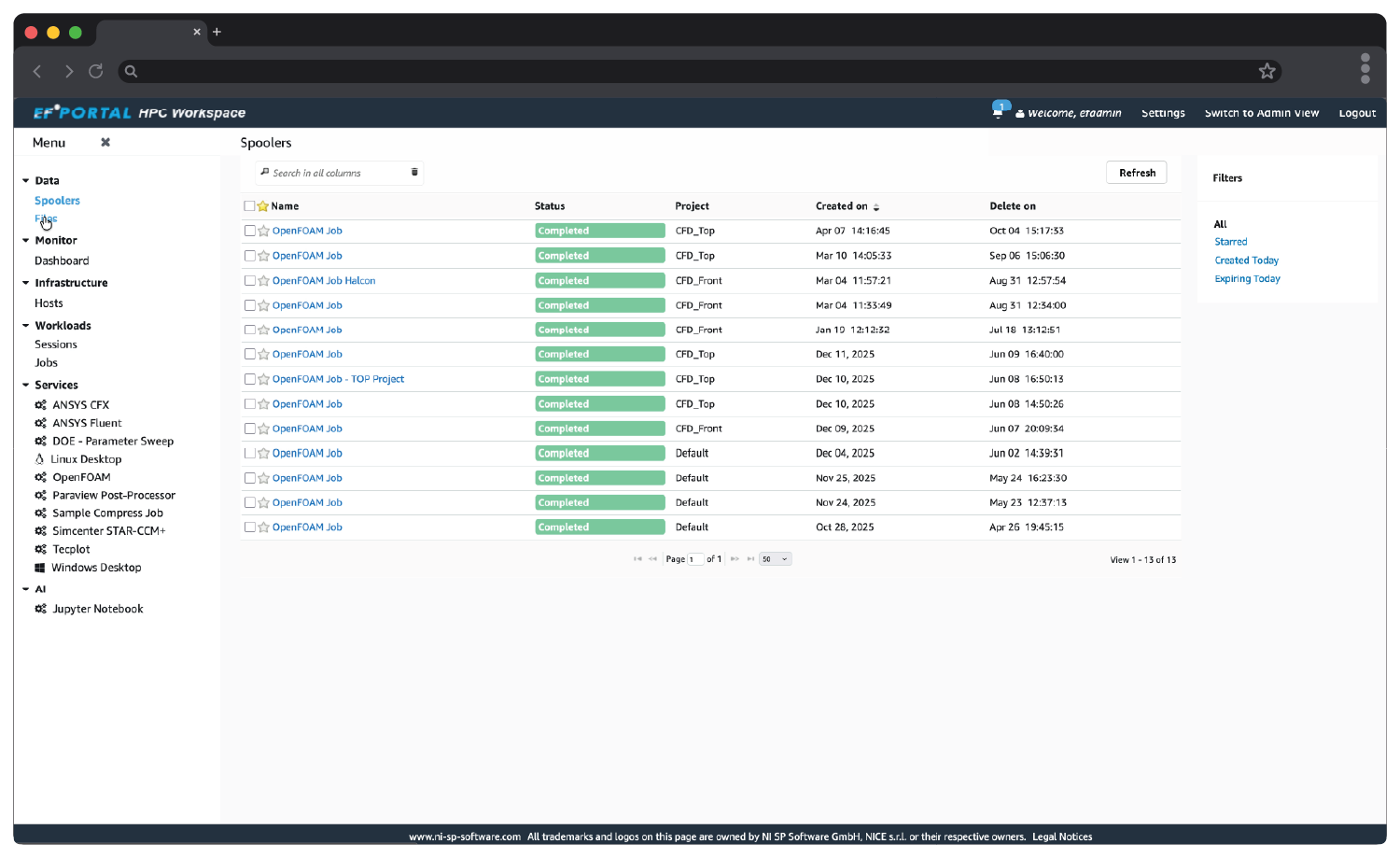
in intuitive, familiar GUI environments.
File management is the friction point that tends to go unacknowledged. Moving data to and from the cluster via SCP or SFTP is its own skill barrier. A browser-based file manager removes it, with support for S3 buckets, SSH locations, and local upload. Users work with their files without leaving the portal interface.
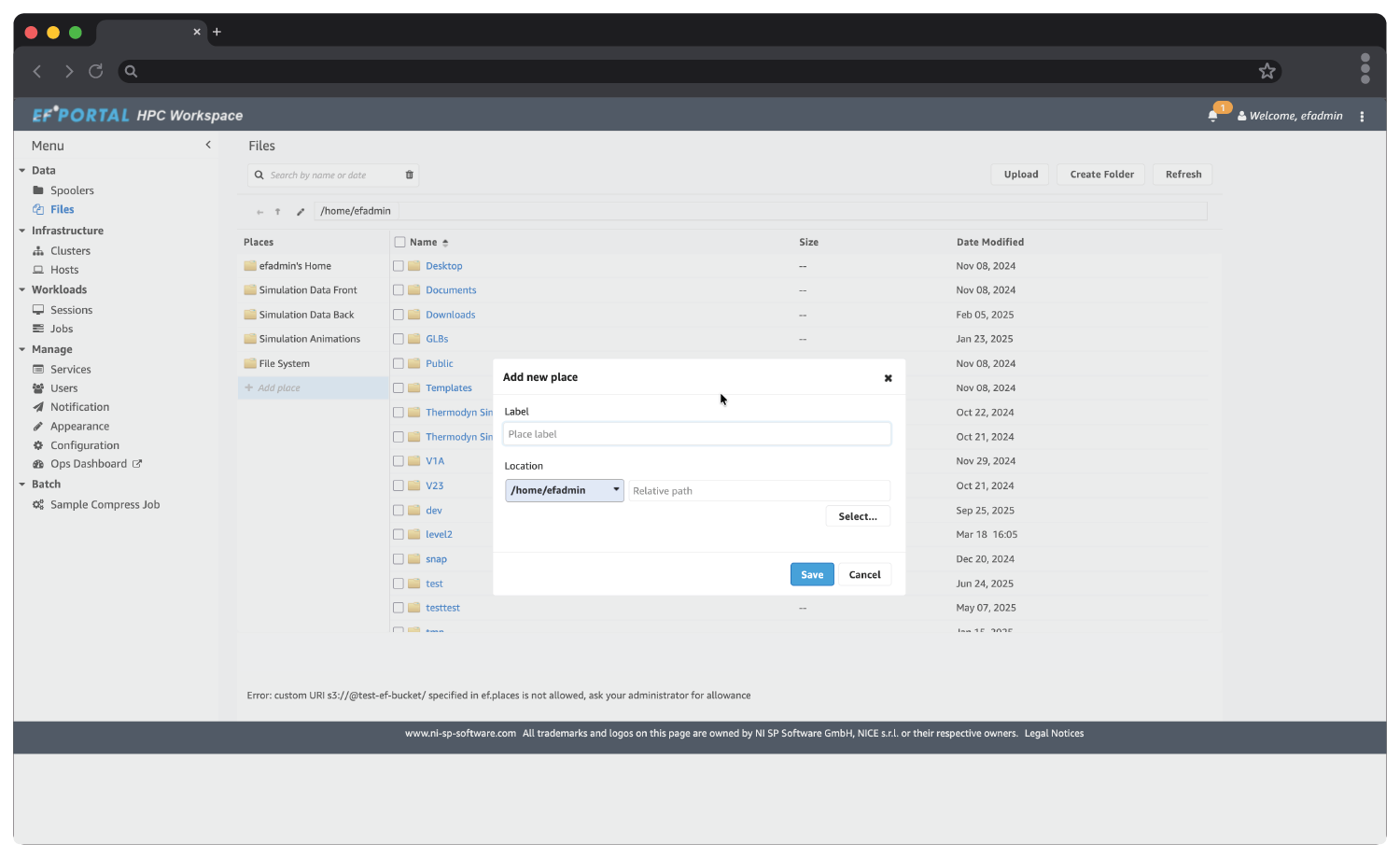
for both pre- and post-processing.
For admin teams, operational dashboards change what's visible at a glance: node-level resource usage, active VDI sessions, license consumption, job throughput in one view. When something goes wrong, the diagnosis starts from a complete picture rather than a sequence of SSH sessions across multiple nodes.
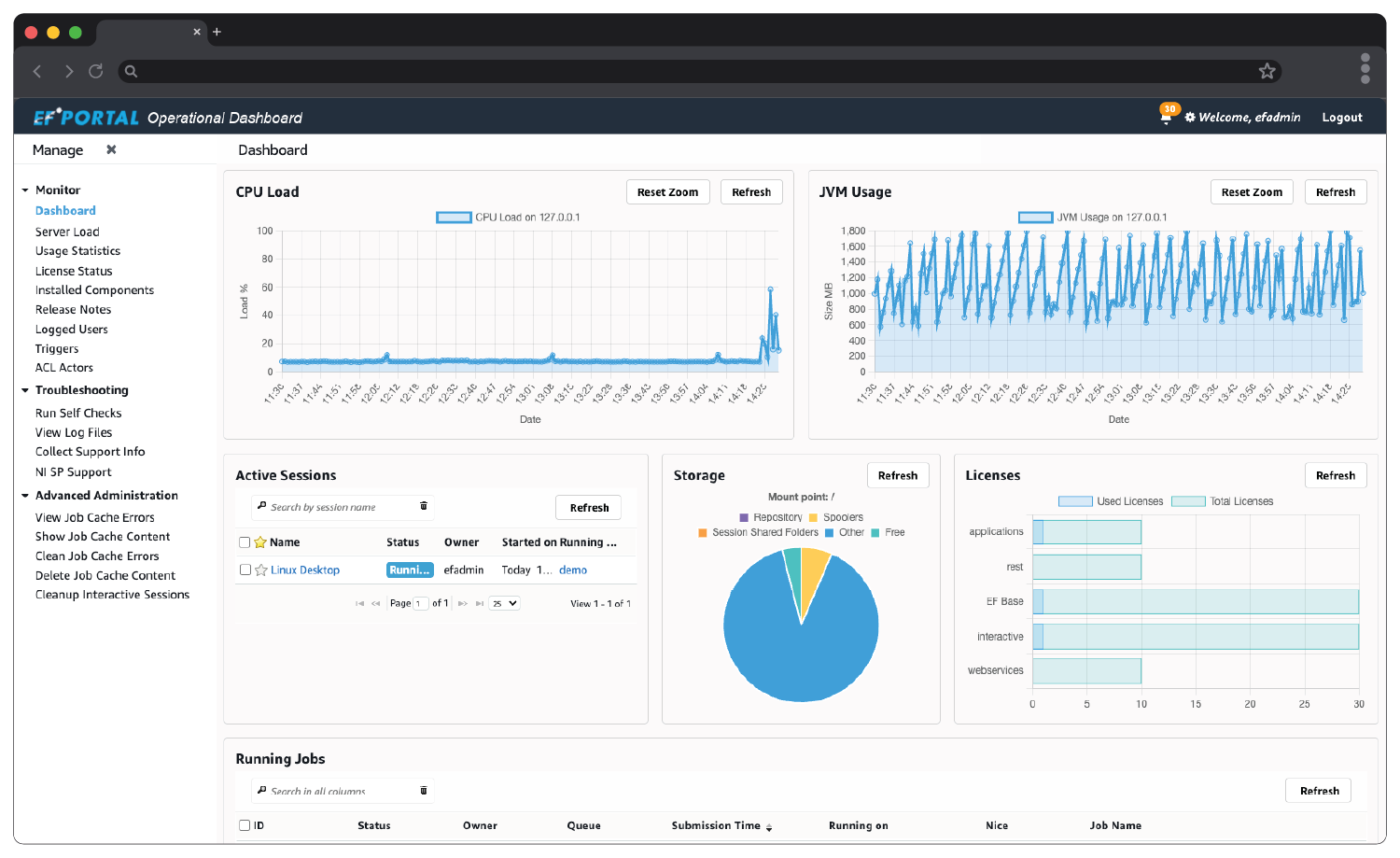
Administrators stay in touch with their cluster's state.
And the release cadence matters more than most evaluations acknowledge. A portal that's actively developed (see EF Portal's release notes) keeps pace with your infrastructure: new scheduler versions, cloud connectors, security requirements.
When a portal probably isn't the right fit yet
A small team of technical users who are all comfortable at the command line, running low job volumes on a simple single-cluster environment, may see limited return on portal deployment.
Open OnDemand, the open-source alternative, is worth evaluating if your setup is relatively simple and you have internal engineering capacity to maintain and extend it. It's widely deployed at research institutions and has an active community. The trade-off is support: no commercial SLA, community forums as the primary recourse, and customization that draws on your own dev resources. We've written a full comparison of EF Portal and Open OnDemand for teams working through that decision honestly.
Either way, you don't have to work it out alone: NI SP's HPC services team helps teams evaluate whether a portal fits their environment in the first place, and can set up and support Open OnDemand where that turns out to be the right answer.
What enterprise HPC teams deploy
EF Portal (formerly EnginFrame) is the enterprise HPC portal NI SP develops and distributes. It supports SLURM, PBS, LSF, Altair, and Gridware; integrates with DCV for remote visualization; includes a browser-based file manager with S3 and SSH location support; and ships with a real-time admin dashboard for monitoring across all cluster nodes.
One team that moved from Open OnDemand described it plainly: "I needed a couple of features which I was missing in OpenOnDemand and then I realized I could get much more attractive capabilities directly out of the box in EF Portal, with powerful integrations and support."
Upgrades are non-disruptive: running jobs and DCV visualization sessions continue while you update.
How to find out for yourself
You don't need a committee for this decision, you need two numbers.
- First: of all your active cluster users, how many submit jobs on their own today?
- Second: over one normal week, how many admin interruptions are really user-access support in disguise (submission help, status checks, file transfers)?
If both numbers look healthy, you probably don't need a portal yet. If they don't, request the free 30-day EF Portal evaluation, point it at your real cluster, give browser access to the users who never touch SSH, and measure the same two numbers again at the end of the month. Either the gap closes and you have your business case, or it doesn't and you have your answer.
SEE AN HPC PORTAL IN ACTION
USER WALKTHROUGH
ADMIN WALKTHROUGH
FREQUENTLY ASKED QUESTIONS
What is an HPC portal?
An HPC portal is a browser-based interface that sits above a cluster's job scheduler (SLURM, PBS, LSF), giving users a GUI for job submission, file management, and job monitoring, without requiring SSH or command-line expertise. For administrators, it adds a central management layer with dashboards, role-based access control, and per-user reporting.
When do you need an HPC portal?
The clearest signals: your cluster serves a mixed team where not all users are command-line fluent; you have more than around 20 active users; or multiple teams share the same infrastructure. A practical test: count how many admin interruptions per week are really user-access support in disguise. If the number is high, a portal pays for itself quickly.
How many users do you need to justify an HPC portal?
Below around 20 active cluster users, informal management tends to work well enough. Above that threshold, questions about job priority, resource fairness, and usage visibility start requiring proper tooling, and the engineering time absorbed by user-access support becomes a measurable cost.
What is the difference between EF Portal and Open OnDemand?
Open OnDemand is a free, open-source HPC portal widely deployed at research institutions; it requires internal engineering capacity to install, customize, and maintain, with community forums as the primary support channel. EF Portal is a commercial alternative with a dedicated support SLA, non-disruptive upgrades, and out-of-the-box integration with DCV for remote visualization. NI SP also provides setup and support services for Open OnDemand teams where that turns out to be the right fit.
For a better view of the differences, check out our EF Portal vs Open OnDemand page.