the all-in-one portal TO EFFICIENTLY MANAGE complex hpc environments
Used by 5 of 10 Formula 1 teams and leading engineering organizations worldwide, NI SP’s EF Portal is the Enterprise HPC portal providing users with easy web-based access to their HPC environment, whether it is running on premises, in the cloud, or as a hybrid system.
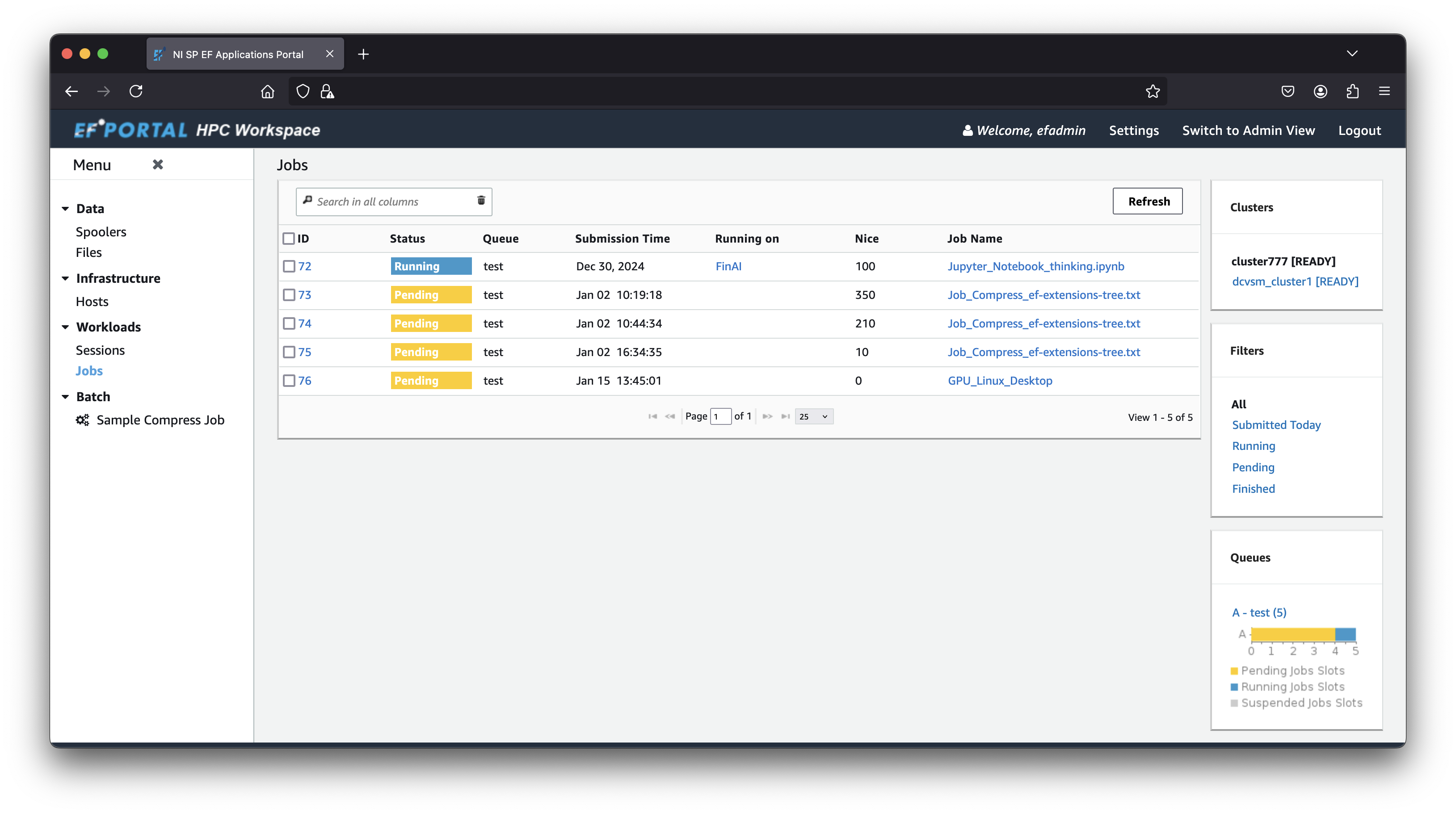
EF Portal empowers engineers, designers and researchers to fully utilise complex HPC systems without having to learn challenging command line syntax, by providing access to HPC applications, resources, and data from within a web browser.
WHY HPC PROFESSIONALS CHOOSE EF PORTAL
Compatible
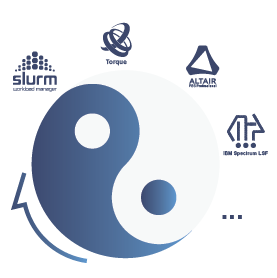
EF Portal integrates seamlessly with the leading HPC schedulers for maximum productivity

Simple
EF Portal makes it easy to submit application workloads from all major HPC software vendors

ProductivE
EF Portal makes using complex HPC systems easy, boosting user productivity
EF Portal is fully compatible with all the major HPC schedulers, and more:


EF Portal development follows the OWASP Top10:2025 document and the DevSecOps methodology.

For over a decade, Electrolux Group has been harnessing the power of the EF HPC Portal to manage and organize HPC batch jobs and simulation data, alongside the EF DCV for virtual desktop infrastructure.
“NI SP Professional Services helped us seamlessly integrate our HPC and CAE applications into EF HPC Portal while streamlining data management across our development teams. Their great expertise helped making our workflows more efficient and scalable. Also, the integration of NI SP’s EF VDI Portal solution together with DCV has greatly improved remote desktop access to our pre-/post-processing resources, making Engineering teams more productive.”
Jean-Yves Noel, Electrolux HPC Infrastructure Engineer
WATCH EF PORTAL IN ACTION
WHAT EF PORTAL USERS SAY
“We are very impressed with the new features that were added to EF Portal since its initial release.
The development team seems to be committed to roll out interesting functionalities very regularly as they’ve shown with version 2024.1 this month.”
EF Portal customer, January 2025
AN ADVANCED PORTAL MADE FOR HPC
POWERFUL
DATA MANAGEMENT
EF Portal features advanced HPC data spoolers, a sophisticated 2D/3D data file previewer, integration with remote spoolers via SSH and S3 buckets, tools for managing project data through favorite places, and the ability to edit input files directly within the file manager, and more.

INTUITIVE
APPLICATION SUBMISSION
EF Portal enables users to stay focused on their engineering tasks with an intuitive ‘what you see is what you get’ interface design editor, complete with CSS styling capabilities and integrated HPC application templates.
HPC-SPECIFIC
INTEGRATION PLUGINS
In addition to its broad compatibility with all leading HPC schedulers, EF Portal provides integration plugins for industry-specific HPC applications, such as ECLIPSE for oil and gas reservoir simulations, cloud bursting solutions, and more.
EF
VDI PORTAL
EF Portal also provides the ability to launch, access and manage interactive applications running 2D/3D visualisations running on either Linux or Windows. This can run locally or as part of a remote visualisation cluster running in your data center as well as in the cloud. Read more about EF Views VDI Portal and NICE DCV.
EF Portal is certified as a key component of the SimOps software stack: a toolset providing a modern foundation for running engineering simulations efficiently, reproducibly, and at scale.
TRANSITIONING FROM ENGINFRAME TO EF PORTAL

Enginframe is now ef portal!
In September 2024, EnginFrame became EF Portal: the same powerful software, rebranded with enhanced usability and new features!
EF Portal is a fully-compatible upgrade evolution of NICE EnginFrame, ensuring new features, regular updates, state-of-the art security and high-end support tailored to your needs.
• Same code base: Built from the original NICE EnginFrame code
• Consistent installation and user experience: Identical installation procedures, features, functionality, and UX
• Enhanced features: A host of new functionalities designed to improve performance and user productivity
Existing users of EnginFrame can migrate for free to EF Portal and leverage the new features to benefit their users. EF Portal maintains the same pricing structure as previously EnginFrame.
Why SWITCH to ef portal?
EnginFrame has been set for discontinuation by AWS, but NI SP Software has committed to continue developing EF Portal with new functionalities, features, and updates while maintaining backward compatibility. This ensures that EF Portal operates in customer environments just as EnginFrame has for over 20+ years. With EF Portal, customers benefit from a renewed portal experience with continuous development, modern features, backward compatibility, and seamless integration.
EF Portal enables users to:
• Increase efficiency: Optimize the use of HPC and VDI environments
• Access information faster and more easily: Make data retrieval, visualization and management easier
• Benefit from all the latest scheduler integrations and operating system features and security
What is new in EF Portal
compared to EnginFrame?
In addition to full compatibility of EF Portal with EnginFrame, EF Portal offers:
• Support for new operating systems like RH / CentOS / Rocky / AlmaLinux 8+9; Ubuntu 22 and 24; Amazon Linux 2023
• Updated and improved scheduler integration for SLURM including version 22, 23 and 24, LSF 10.1, …; Gridware support
• New REST API to automate your workflows, replacing the legacy Web Services approach to align with industry standards.
• EF Portal Client – efpclient: a Python-based efpclient to access and control EF Portal or build your own EF Portal clients with Python, PHP, NodeJS, …
• Fully functional and enhanced DCV Session Manager integration
• A series of File Manager improvements: adding ssh and s3 file locations, file preview, file editing, copy and paste/move operations for files, favorite places configuration for easy project switching, drag & drop of files into file manager, history of locations for fast access, improved search in tables, UTF-8 support, preview of 3D models and videos, …
• Job History and integrated GPU monitoring
• Enhanced authentication strategies supporting MFA, Entra ID and other IdPs
• Security Fixes and updates of components like Tomcat, jQuery 3.7, …
• Jupyter Notebooks integration to launch and preview notebooks directly from within the EF Portal file manager
• Active development of EF Portal and implementation of customer requirements and customizations
NI SP, YOUR PARTNER FOR A RENEWED EF PORTAL HPC AND VDI EXPERIENCE
For over five years, NI SP has been a trusted distributor of NICE Software, building a technical and software development team with over 40 years of combined experience. We specialize in deploying, developing, customizing, and supporting EnginFrame for large enterprise customers, including public use cases Electrolux, LG Electronics, and Volkswagen.

FREQUENTLY ASKED QUESTIONS
EF Portal (formerly EnginFrame) is an Enterprise HPC Portal designed for research institutions and engineering organizations running HPC compute at scale.
EF Portal features a browser-based interface that gives all cluster users access to job submission, file management, and session monitoring without requiring command-line expertise.
Developed and distributed by NI SP, it supports all major job schedulers and integrates with DCV for remote visualization. Five of the ten current Formula 1 teams run their simulation workflows through it.
EF Portal supports SLURM, PBS, LSF, Altair, Gridware and more. The portal layer sits above the scheduler and exposes it through a web interface, so users interact with the same job queue through a form rather than the command line. Multiple schedulers can be active in the same installation.
Yes. EF Portal integrates natively with DCV (high-performance remote desktop protocol).
Users launch interactive DCV sessions (for Ansys, CATIA, ParaView, or any 3D application) directly from the same portal where they submit batch jobs. The session appears in the portal interface: no separate client setup is required.
Open OnDemand is an open-source HPC portal deployed at research institutions: it requires internal engineering resources to install, customize, and maintain, with community forums as the primary support channel.
EF Portal is the Open OnDemand alternative for Enterprise environments: a dedicated support SLA, non-disruptive upgrades, five releases in the last twelve months, and integrations like DCV and AWS Workspaces that OOD doesn’t provide out of the box.
NI SP also offers setup and support services for teams to select and deploy the right solutions for their HPC.
Yes. NI SP offers a free 30-day evaluation license you can point at your real cluster.
The trial gives full feature access (job submission, file management, DCV integration, the admin dashboard…) so you can measure active submission rates and admin overhead against your current setup before committing.
Learn more about EF Portal
- EnginFrame to EF Portal FAQ
- What’s New in EF Portal
- How to install EF Portal (Guide)
- EF Portal or Open OnDemand: Which is the right portal for your HPC?
- Do you need an HPC Portal? Get your HPC Portal fit score.
- Video Walkthrough
HAVE QUESTIONS?
If you have any questions, comments or are interested in a free trial or a demo just let us know.