An HPC portal evaluation can be one of the faster enterprise software decisions your team makes. The field is relatively small, the requirements are concrete, and free trials on your actual cluster are common practice nowadays, and they will tell you more than a six-month vendor evaluation ever could.
The approach that works is also the simplest one: we recommend you skip the feature matrix (every portal checks the same boxes for job submission, file management, and authentication) and focus on the five criteria that predict what the portal will look like on month six, when a scheduler version changes, a user needs a remote 3D session at 2am, or the engineer who configured it has moved to a different project.

This guide covers those five criteria, the open-source vs. commercial trade-off, and a framework for running an evaluation that gives you a reliable answer in 30 days.
5 criteria that separate HPC portals in production
Most vendor comparisons start with a feature checklist: Job submission, file browser, user authentication, basic monitoring… table stakes. Every portal on the market today covers those. The criteria that differentiate are the ones that appear only after deployment, which is why a trial on your own cluster matters more than any comparison page.
Want a quick reality check on your HPC portal needs? Get a first evaluation in 5 quick questions:
What type of HPC portal fits your environment?
5 questions based on the criteria that matter most in production.
Question of
Scheduler integration depth
Every HPC portal claims scheduler support, but we recommend you evaluate how deep that support runs.
Surface-level integration means the portal can submit a basic job and display its status. That covers the demo. Deep integration means the portal understands scheduler-specific resource types (GPU memory requests in SLURM's GRES syntax, license tokens in LSF, scratch space allocation in PBS), enforces submission policies through validated forms so users cannot request resources that don't exist, and handles scheduler version transitions without breaking your job templates.



EF Portal supports SLURM, PBS Pro, LSF, Altair Grid Engine, and Gridware (amongst others) with pre-built connectors and tested upgrade paths between scheduler versions.
What to test: submit a job that uses your scheduler's advanced resource flags. A GRES request in SLURM, a resource group in PBS. If the portal doesn't understand those constructs natively, your team will be writing and maintaining custom integration templates for the life of the deployment.
Remote visualization and VDI integration
This is a big differentiator in the current HPC portal market, and the one most evaluations underweight.
If your users run applications that require interactive visualization (CATIA, Ansys, Maya, Houdini, ParaView, Nuke, or anything with a 3D viewport), they need GPU-accelerated remote desktop sessions brokered, secured, and managed through the same interface where they submit batch jobs. For media and entertainment workflows specifically, a separate guide covers DCV in remote production environments. A broader overview of how VDI works in HPC environments covers the architecture in detail.
Portals that handle visualization through a separate tool create two systems to maintain and two login flows for users. Portals with native integration launch a GPU-accelerated remote desktop from the portal interface directly: same authentication, same session management, same admin dashboard.
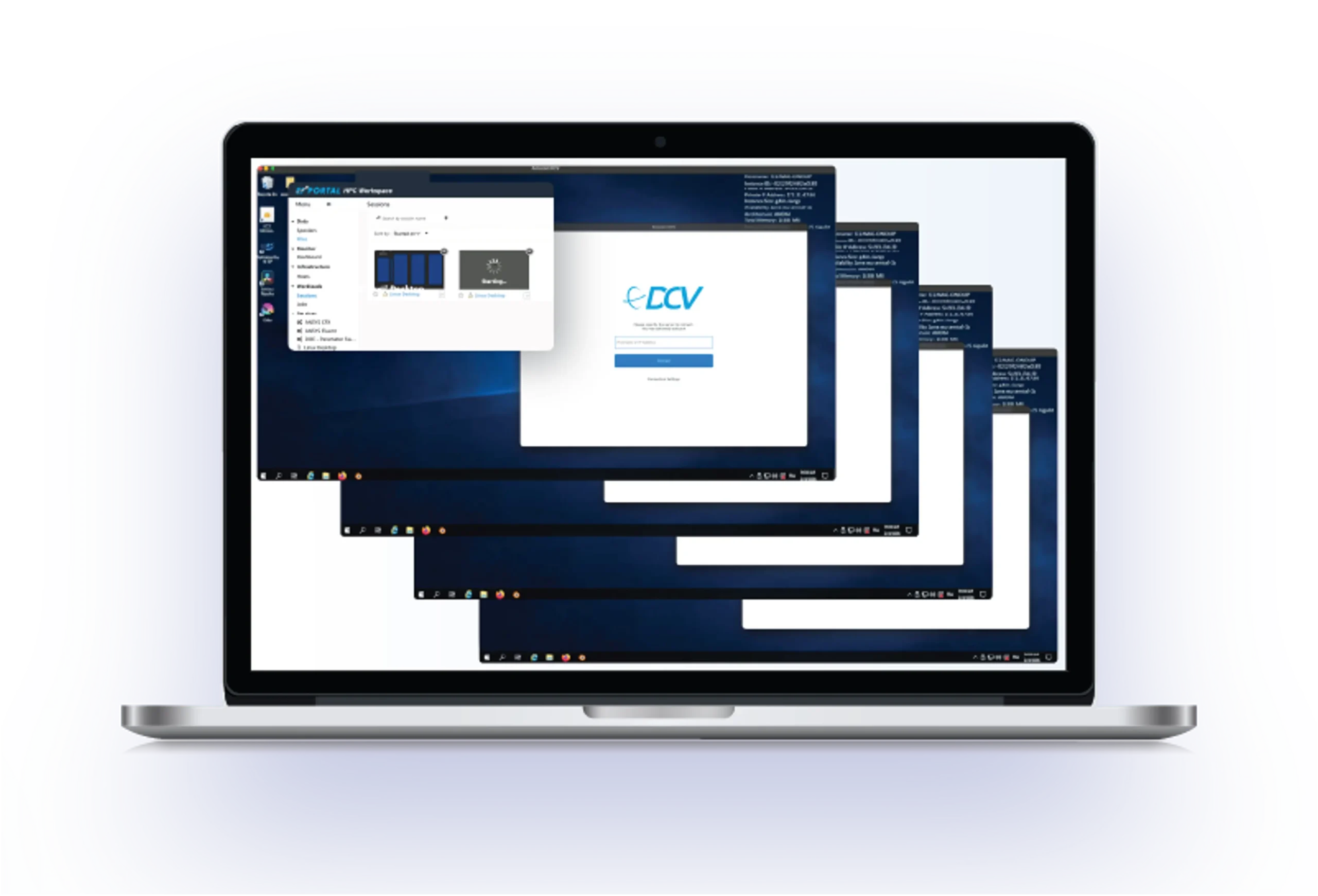
EF Portal integrates with DCV for remote visualization, including GPU sharing on bare-metal Linux. Multiple users can share a single physical GPU server without VMs or vGPU licenses: 10 to 15 concurrent full-performance 3D desktops per server, depending on the workload. For teams managing larger DCV deployments, DCV Pool Manager adds web-based fleet management and connection brokering on top.
What to test: have a user launch an interactive visualization session on a GPU node through the portal. Measure the click-to-desktop time. Check whether the admin dashboard shows that VDI session alongside batch jobs in a single view.
Support and escalation path
The support model is where the open-source vs. commercial question becomes concrete.
With a community-supported portal, your escalation path for a production issue on a Friday afternoon is a forum post. Response time depends on volunteer availability. For many academic environments with strong internal HPC expertise, that is a reasonable trade-off, and the community around open-source solutions can be genuinely active.
For enterprise and production environments serving engineering teams who depend on the cluster for daily work, the calculation changes. The critical question to answer during evaluation: if the person who configured your portal leaves the team, who picks it up?

EF Portal includes commercial support with a next-business-day response SLA and direct access to the engineering team that builds the product. That means the people who wrote the code, not a tiered desk working from documentation.
What to test: submit a support ticket during your trial. The response time and quality you get during evaluation is the best predictor of what you'll get in production.
Release cadence and upgrade experience
An HPC portal is infrastructure software. It needs to keep pace with your environment: new scheduler versions, OS updates, security requirements, cloud platform changes. A portal that was last updated 18 months ago is quietly accumulating compatibility debt.
Release cadence: how often does the vendor (or community) ship updates, and do those updates address real operational needs? EF Portal shipped five feature-packed releases in twelve months (2025.0 through 2026.0), each with substantive additions: a cluster-wide health monitoring dashboard, a web proxy for secure access to compute-node applications, a real-time notification system, and a browser-based configuration editor. The full release history is public and worth reading before any evaluation.

Upgrade friction: does an update require a maintenance window? Do running jobs need to be drained first?
For example, EF Portal upgrades are generally non-disruptive: running jobs and active DCV visualization sessions continue during the update. See the published upgrade guide for EF Portal 2026.0.
What to test: ask for the last three release changelogs. Read them. If the entries say "various improvements" and "stability enhancements" without specifics, that tells you something about the development investment behind the product.
Total cost of ownership
License cost is the number on the quote, when total cost of ownership is the number on your team's timesheet.
For a commercial portal, the cost is transparent: per-seat license, annual maintenance, and optional professional services for deployment or customization. You can put those in a spreadsheet and compare them to other line items.
For an open-source portal, the license cost may be zero, but the calculation doesn't end there. The total cost is the engineering time your team invests in installation, configuration, customization, troubleshooting, and keeping the system current with your cluster environment. That cost is real but tends to stay invisible, because it never appears on an invoice.
The framing to keep in mind: for a small team with strong internal HPC portal expertise and straightforward requirements, the open-source engineering cost may stay low and the trade-off may be clearly favorable. But for larger deployments with VDI requirements, multiple schedulers, or limited internal portal engineering capacity, the hours accumulate. At some point the invisible cost exceeds the license fee. A good evaluation makes this trade-off explicit rather than assuming it in either direction.
NI SP's detailed comparison of EF Portal and Open OnDemand covers the capability differences alongside the cost dimension.
Open-source vs. commercial: the real trade-off
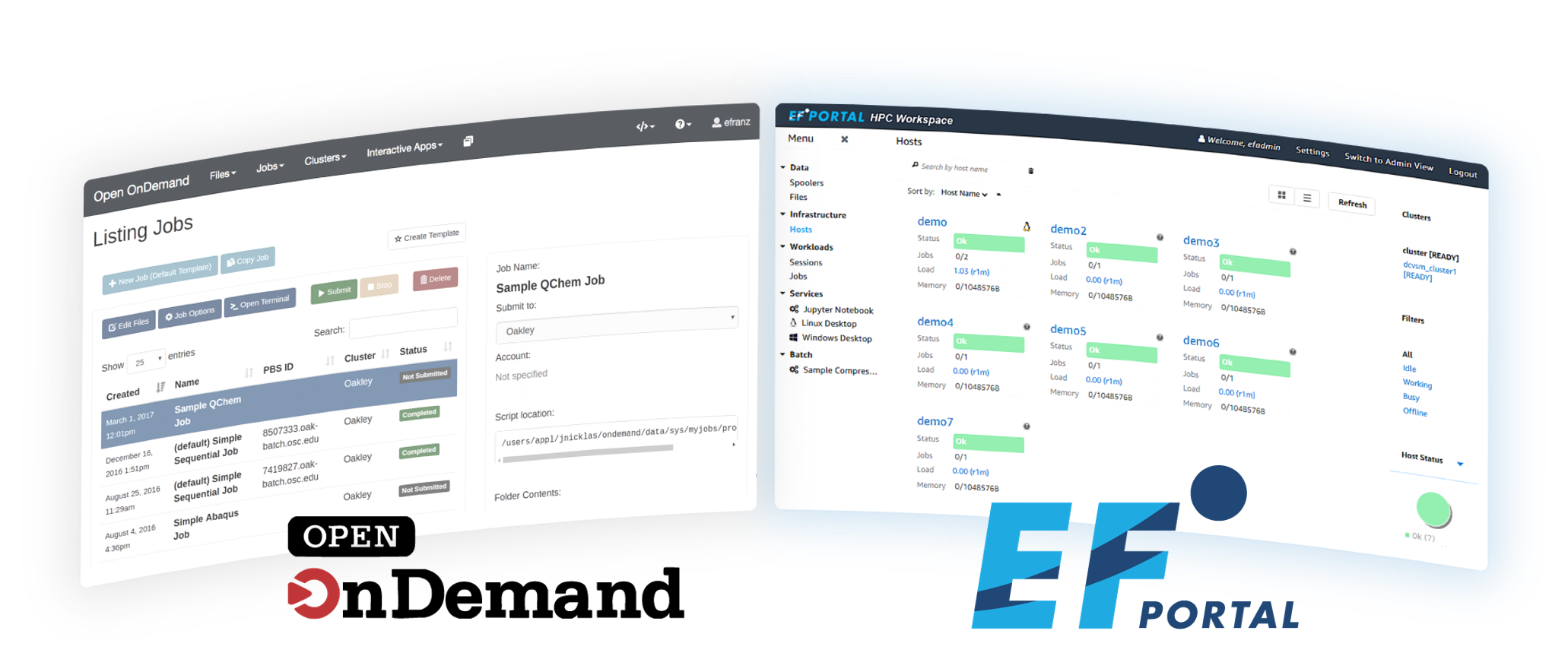
Open OnDemand is the most widely known open-source HPC portal, deployed at research institutions, with community development. It handles the fundamentals: job submission, file management, basic interactive sessions.
Your team has to own installation, customization, scheduler-specific integration, and ongoing maintenance. Support comes from community forums and Discourse.
EF Portal offers out-of-the-box scheduler connectors, integrated DCV remote visualization with bare-metal GPU sharing, a commercial support SLA, and non-disruptive upgrades. The cost is a per-seat license and annual maintenance.
One practical detail: NI SP's services team also deploys and supports Open OnDemand for organizations where that turns out to be the right fit. The evaluation does not have to be adversarial.
Neither option is universally better. The deciding factors are your team's internal capacity for HPC portal administration & management, your VDI requirements, and whether you need advanced enterprise capabilities and a contractual support path for production issues.
What enterprise teams deploy
EF Portal (formerly EnginFrame) is the HPC portal NI SP develops and distributes. It provides browser-based access for job submission, file management, remote visualization session management, and cluster administration above your existing scheduler. EF Portal is the HPC Portal of choice for Enterprise production deployments, where performance and reliability is crucial for smooth operations at scale.
Key facts for evaluators:
- Schedulers: SLURM, PBS Pro, LSF, Altair Grid Engine, Gridware, with native connectors and tested upgrade paths
- VDI: integrated DCV remote visualization with GPU sharing on bare-metal Linux (no VMs, no vGPU licensing required)
- Support: commercial SLA with next-business-day response and direct access to the product engineering team. NI SP's HPC services team also handles deployment and customization
- Releases: five new releases in twelve months (2025.0 through 2026.0), each packed with new capabilities addressing real operational needs
- Upgrades: non-disruptive; running jobs and DCV sessions continue during the update
- Deployed by: five of the ten Formula 1 teams for simulation workloads, and organizations across automotive, aerospace, media and entertainment, oil and gas, life sciences, and research computing
- Evaluation: 30-day free trial on your own cluster, against your own scheduler and user base
For teams still working out whether they need a portal in the first place, check out our separate guide covering that earlier decision.
How to run an evaluation that gives you a real answer
A demo shows you the interface, but a trial will show you the fit.
You can request a 30-day free evaluation and point the portal at your actual production environment: your scheduler, your users, your file systems. Run it on your real cluster, because the integration points that matter are the ones specific to your setup.
Build your evaluation checklist
Answer 5 questions. Get a personalized list of things to test during your 30-day trial.
Question of
Based on your answers above. Answer differently?
Your evaluation checklist
test items based on your requirements
During the trial, test the five criteria against your own requirements:
- Submit a job using your scheduler's advanced resource flags (GRES in SLURM, resource groups in PBS)
- Ask a user who has never touched the portal to submit a job through the browser without help
- Launch an interactive visualization session on a GPU node and measure the experience
- Open a support ticket and note the response time and depth
- Check the admin dashboard for cluster-wide visibility across batch jobs, VDI sessions, and node health
If the portal handles your environment cleanly, you have your business case. If it does not, you have found out before procurement. For a faster first look, there is a quickstart guide that gets EF Portal and DCV running in two minutes.
Request your free 30-day EF Portal evaluation →
The Enterprise HPC Portal

The Enterprise VDI Portal
SEE AN HPC PORTAL IN ACTION
USER PORTAL WALKTHROUGH
ADMIN PORTAL WALKTHROUGH
MORE Questions worth asking before you commit
These apply regardless of which portal you are evaluating.
On scheduler support:
- Which schedulers have native connectors, and which require custom integration work?
- What is the typical lag between a new scheduler version release and portal compatibility?
- Can submission forms enforce resource policies so users cannot request resources that do not exist?
On visualization:
- Can users launch GPU-accelerated remote desktop sessions from within the portal?
- Is the VDI layer part of the portal, or a separate product with its own authentication?
- Does GPU sharing require VM infrastructure and vGPU licenses, or does it run on bare metal?
On support:
- What is the support response SLA, and is it contractual?
- Do escalations reach the engineering team, or a first-line desk?
- If the engineer who configured the portal leaves, what is the continuity plan?
On sustainability:
- How many releases shipped in the last 12 months, and what did they contain?
- Can the portal be upgraded without draining the cluster?
- Who funds ongoing development, and what does the long-term roadmap look like?
On cost:
- What is the per-seat license cost (or, for open-source: what internal engineering hours should be budgeted)?
- Are VDI integration, premium support, or professional services priced separately?
- Is there a free trial long enough to run a real evaluation on a production environment?
Frequently asked questions
What should I look for when choosing an HPC portal?
5 criteria predict long-term outcomes better than feature checklists: scheduler integration depth (not just a compatibility list), remote visualization and VDI integration, support and escalation path, release cadence and upgrade friction, and total cost of ownership including internal engineering hours. Test each criterion during a free trial on your actual cluster.
Is an open-source HPC portal better than a commercial one?
Neither is universally better. Open-source solutions offer zero license cost and community-driven flexibility, but your team owns installation, customization, and maintenance. A commercial portal like EF Portal offers out-of-the-box scheduler connectors, integrated remote visualization, and a contractual support SLA. The right choice depends on your team's internal capacity, your VDI requirements, and whether you need a guaranteed support path for production issues.
How much does an HPC portal cost?
Commercial HPC portals usually charge a per-seat license and annual maintenance. Open-source portals have zero license cost but require internal engineering hours for deployment and ongoing maintenance. For small teams with straightforward requirements, open-source TCO stays low. For larger deployments with VDI, multiple schedulers, or limited internal portal expertise, the engineering hours can exceed the commercial license fee. EF Portal offers a 30-day free evaluation to test fit before committing.
What schedulers does EF Portal support?
EF Portal has native connectors for SLURM, PBS Pro, LSF, Altair Grid Engine, and Gridware. Native support means pre-built integration with tested upgrade paths between scheduler versions.
How does EF Portal compare to Open OnDemand?
EF Portal is a commercial HPC portal with a dedicated support SLA, non-disruptive upgrades, and native DCV integration for GPU-accelerated remote visualization on bare-metal Linux. Open OnDemand is an open-source alternative widely deployed at research institutions, with community support and a flexible extensible architecture. A detailed comparison covers capability and cost differences side by side.
RESOURCES
- EF Portal - HPC Portal
- EF Views - VDI Portal
- EF Portal or Open OnDemand: Which is the right portal for your HPC?
- Do you need an HPC Portal? Get your HPC Portal fit score.
- What is VDI for HPC and would you benefit from it? Run your VDI need estimation.
- EnginFrame to EF Portal FAQ
- What's New in EF Portal 2026.0 (EF Portal 2026.0 Release video)
- How to install EF Portal (Guide)
- Video Walkthrough